Treatment schedule export — share your dosage plan with one tap
Export your treatment schedule from mojApteczka and share it with a doctor, caregiver, or family member. One tap gives you the full medicine list with doses and times.
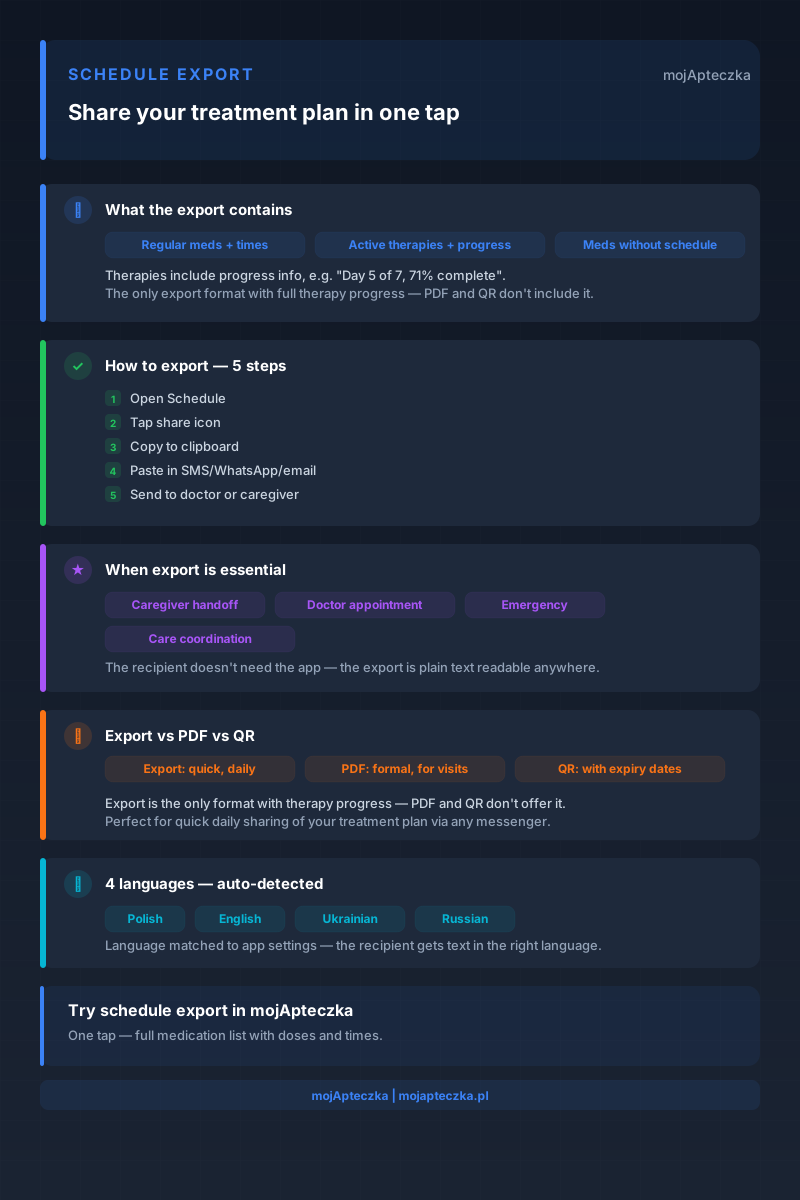
You are halfway to the airport. Your mum calls — she is starting a new antibiotic course, and her caregiver is not sure what time to give the evening dose. You open the app, and with one tap you send the caregiver the full dosage schedule. No rush, no mistakes.
That is exactly the problem the treatment schedule export feature in mojApteczka solves. This is not about printing formal documents — it is about passing on information quickly and reliably when someone really needs it.
Why is a dosage schedule so hard to pass on?
Anyone who has ever tried to explain “how I take my medicines” to someone else knows it is not a simple conversation. A medicine name the other person does not recognise. A dose in milligrams they do not remember. A time they have not written down. And a therapy that still has five days to run — but who is going to check?
Traditional methods have their limits:
- A paper note — quickly out of date, easy to lose, and hard to read for someone who does not know your medicines.
- Verbal explanations — the recipient remembers half and guesses the rest.
- A screenshot of the app — unreadable on a small screen and missing context or times.
- Sharing access to the app — requires an account, a password, and confidence that the setup is right.
Treatment schedule export removes all these problems with one tap.
How does schedule export work in mojApteczka?
The feature is available on iOS only. You open the schedule screen in the app, tap the share icon — and it is ready. The app generates formatted text and copies it to the system clipboard. You can paste it into any app: SMS, WhatsApp, Messenger, email, Google Keep, notes on your phone. No restrictions — wherever you can paste text, your schedule is ready.
The recipient does not need to have mojApteczka installed. They do not need to create an account. They do not need to download anything. They simply read the prepared message.
What does the exported schedule contain?
The exported schedule is divided into three sections, each covering a different part of your treatment:
Section 1: Regular medicines
These are medicines with reminders set for specific times. In the exported text, each medicine appears with its name, dose, and full dosing schedule. If you take a medicine at 8:00 and 20:00, those exact times are visible in the text. The recipient does not need to interpret anything — the information is clear.
Section 2: Active therapies
A therapy is a treatment with a defined duration — for example, a 7-day antibiotic course or a 30-day vitamin course. The export shows not only the name and dose, but also progress: “Day 5 of 7, 71% complete.” This is key information that is not available in any other app view. A caregiver does not need to calculate how much is left — they can see it immediately.
Section 3: Medicines without a schedule
For a complete picture of the home medicine cabinet, this section lists medicines you have at home but that do not have an assigned schedule. These may be as-needed medicines (pain relief, fever medicines) or products you have not fully configured yet. The export lists them with their current quantity.
When is schedule export indispensable?
Handing over care for a loved one
You are going away for the weekend. Your mum or dad is staying with a caregiver, neighbour, or adult child who does not know the details of the treatment. One SMS with the exported schedule gives the caregiver everything they need: medicine names, times, doses, and information about which therapy is in progress and how much longer it lasts.
No app, no explanations, no margin for error.
Specialist appointment
You are seeing a cardiologist for the first time. Instead of trying to remember the names of your prescription medicines at the doctor’s desk, you copy the schedule before the appointment and paste it into a message to the practice, or use it to write out a list by hand. The doctor has a full picture of your treatment — including therapies in progress and their status.
This is different from the PDF report for doctors, which is a formal document with technical data. Schedule export is the quick, everyday version for a fast overview.
Emergency situation
Someone in your family is admitted to the emergency department. You cannot be with them. You send the exported schedule by SMS to the person going to the hospital — they have the full list of medicines and active therapies to show the doctor on duty.
Coordination between caregivers
If you use the caregiver role, you can quickly send the schedule to another caregiver who does not have access to the app. Or you can send it to a care diary that you keep outside the app.
Schedule export vs PDF report vs QR — comparison
Different tools for different purposes. Here is how to choose the right one:
| Feature | Schedule export | PDF report | QR sharing |
|---|---|---|---|
| Generation time | Instant | A few seconds | A few seconds |
| Format | Text (copy/paste) | PDF document | Link via QR |
| Recipient needs the app? | No | No | No |
| Best for | Quick everyday sharing | Formal medical visits | Handover at a practice |
| Includes therapy progress | Yes | No | No |
| Includes expiry dates | No | Yes | Yes |
| Availability | iOS | iOS, Android | iOS, Android |
| Offline | Yes | Yes | Requires connection |
Schedule export is the fastest option — ideal when time matters and you simply want to send information through any messaging app. The PDF report is more detailed and is suitable for a formal appointment. QR sharing works well when you want to give someone access to the current home medicine cabinet with expiry dates and quantities.
Support for multiple languages
Schedule export is available in four languages: Polish, English, Ukrainian, and Russian. The text language is selected automatically based on the app settings.
This matters in several situations:
- Your mum speaks Ukrainian — the exported schedule is readable for her without translation.
- Your attending doctor communicates in English — the schedule is already in the right language.
- A caregiver for older adults who does not speak Polish receives the schedule in their own language.
Multilingual export is one of the features that sets mojApteczka apart from other medicine management apps.
How does schedule export work with the rest of the app?
Schedule export uses data from several other mojApteczka features:
- Reminders — medicine times in the “Regular medicines” section come directly from your reminders. The more accurately you configure reminders, the more precise the export is.
- Therapies — therapy progress shown in the export is calculated in real time. The app always shows the current day and percentage completed.
- Inventory levels — quantities for medicines without a schedule reflect the current state of your home medicine cabinet.
In other words, schedule export is only as good as the way your app is configured. It is worth setting up complete reminders — they are the heart of every accurate schedule.
Export and privacy
The copied schedule goes to the iOS system clipboard — it is not sent anywhere automatically and is not saved on mojApteczka servers. You control where you send it and who receives it.
Unlike QR sharing, where a link with an expiry time is generated, export is plain text. No links, no accounts, no tracking on the recipient’s side.
Download and set up your schedule today
Schedule export is available in the mojApteczka iOS app — free of charge, as part of the standard feature set. No subscriptions, no extra activation steps.
If you have not set up reminders yet, start with the reminders section — it will take a few minutes and will make your schedule complete. Then try the export and send it to yourself as a test.
Want to know how to manage medicines for the whole family in one place? See the shared home medicine cabinet and caregiver role features.
Download mojApteczka from the App Store and start managing treatment in a way that really works for you and your family.
Questions about schedule export or any other mojApteczka feature? Write to us at kontakt@mojapteczka.pl.
Frequently asked questions
- Is schedule export available on Android?
- Currently, the schedule export feature is available on iOS only. An Android version is planned for upcoming updates.
- What exactly does the exported schedule contain?
- The schedule is divided into three sections: regular medicines (with times and doses), active therapies (with progress, for example "Day 5 of 7, 71% complete"), and medicines without a schedule (with the quantity in the home medicine cabinet).
- Does schedule export replace the PDF report for doctors?
- No — they are two different features. Schedule export is for quick everyday sharing, for example with a caregiver or by SMS. The PDF report is a formal document for a medical appointment, with full data about each medicine.
- Is the schedule translated automatically?
- The schedule export supports four languages: Polish, English, Ukrainian, and Russian. The language is automatically matched to your app settings.
- Can I send the schedule to someone who does not have mojApteczka?
- Yes. The exported schedule is plain text — the recipient does not need to have any app installed. They only need to be able to read an SMS or email message.