Duplicate Medicine Detection — No More Duplicate Entries in Your Medicine Cabinet
How mojApteczka automatically detects duplicate medicines during scanning and suggests updating the existing stock instead of creating a new entry. No more clutter.
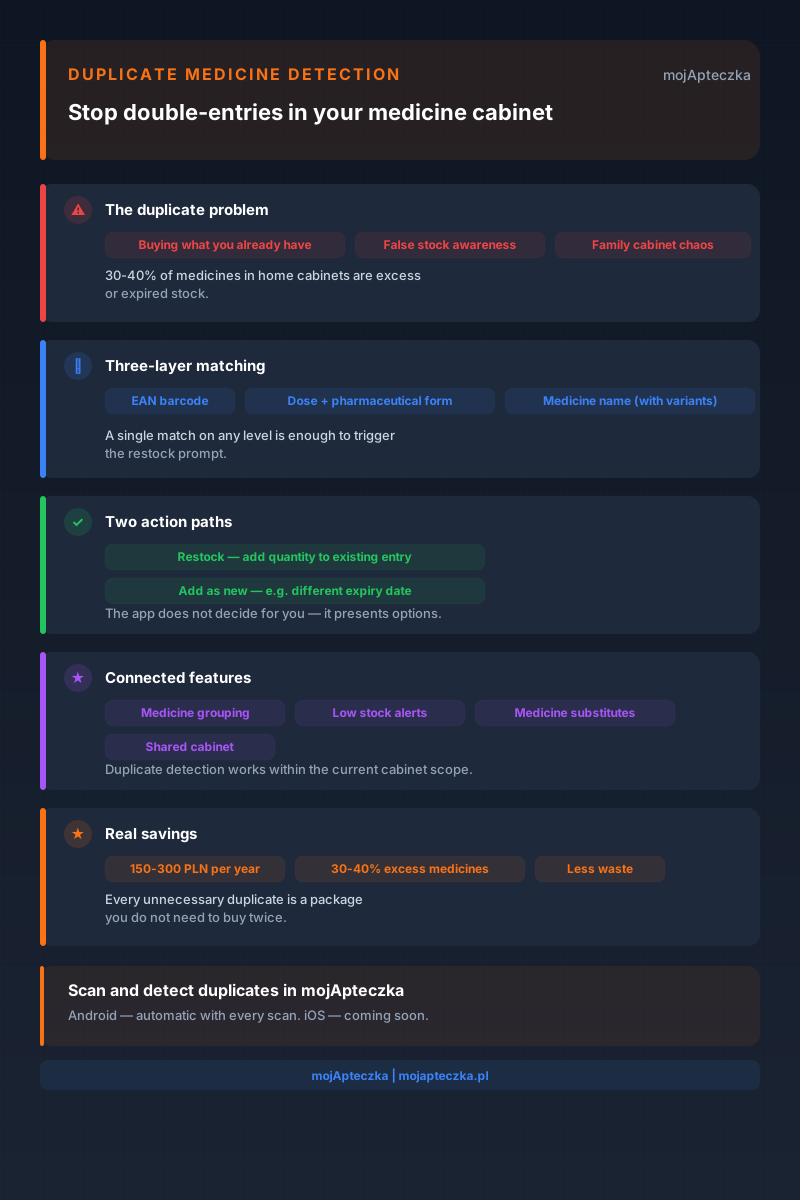
You go to the pharmacy for another pack of ibuprofen. You get home, scan it in the app — and moments later discover it is already the third pack in your home medicine cabinet. The other two were tucked away behind the vitamins, forgotten since last season.
Sound familiar? This is one of the most common problems with a home medicine cabinet: we buy what we think we are missing because we do not know we already have it. The result? Duplicate entries, duplicated stock counts and a false sense of order that hides growing clutter.
That is why mojApteczka includes intelligent duplicate medicine detection — a feature that recognises whether the medicine you are scanning is already in your home medicine cabinet and, instead of creating another entry, asks: do you want to update the existing stock?
Why Duplicate Entries in Your Medicine Cabinet Are a Real Problem
You buy what you already have
On average, Polish families keep between 15 and 30 different medicines or health products at home. Without a reliable record of what is in stock, it is easy to buy the same thing twice or even three times. Studies suggest that as much as 30–40% of medicines in home medicine cabinets are expired or surplus — bought without realising that identical or very similar medicines were already somewhere on the shelf.
A false sense of stock levels
When two separate entries exist for the same medicine, you might think you have 10 ibuprofen 200 mg tablets — when in reality you have two packs of five tablets, both shown separately. Low stock alerts are based on the actual inventory count, so duplicated entries make notifications less precise.
Clutter in shared family use
In a home medicine cabinet used by several family members, the problem grows quickly. Dad scans a new pack of Panadol. The next day, Mum scans her purchase — the same medicine, a different pack. Without a duplicate detection mechanism, the cabinet quickly turns into an uncontrolled register of dozens of entries, each one a “real” medicine, but together creating only clutter.
How Duplicate Detection Works in mojApteczka
Detection point: straight after scanning
The feature starts automatically when you scan a medicine pack with your phone camera. AI recognition reads the data from the packaging — name, dose, pharmaceutical form and EAN barcode — and then the app checks whether a matching entry already exists in the current cabinet.
If there is no match, the medicine is added normally. If a match is found, you see a prompt asking for your decision.
Three-layer matching
The duplicate detection engine checks for matches on three levels:
- EAN barcode — the most precise identifier. Same barcode = same product, with no ambiguity.
- Dose + pharmaceutical form — ibuprofen 200 mg tablets are different from ibuprofen 400 mg tablets and from ibuprofen 200 mg capsules.
- Medicine name — including spelling variants and alternative names. “Nurofen” and “ibuprofen” refer to the same active ingredient, and the app understands that.
A single match at any level is enough to show the duplicate prompt.
Two possible actions
When a duplicate is detected, the app does not make the decision for you — it presents two options:
| Option | When to choose it | What happens |
|---|---|---|
| Update existing stock | You bought another pack of the same medicine | The quantity is added to the existing entry; only one entry remains |
| Add as new entry | You have another pack with a different expiry date | A new, separate entry is created — you can track the dates independently |
The choice is yours. The app simply signals that the situation needs a decision.
Real-Life Scenarios
Scenario 1: The weekly pharmacy run
Anna manages the medicine cabinet for a family with three children. On Friday she buys a new pack of Nurofen for children — the same syrup that is already in the cabinet, but with a new expiry date. She scans the pack. The app detects a duplicate and asks: update the existing stock or add it as new?
Anna checks the expiry dates: the old syrup expires in March, the new one in November. She chooses “Add as new entry” — she wants to know which bottle expires first so she can use it first. Two entries, two different expiry dates, no clutter.
Scenario 2: Two people buying the same thing
Piotr goes to the pharmacy on Wednesday and buys ibuprofen 400 mg. He does not check the app before buying it. The same day, Karolina returns from another pharmacy — with the same medicine. They both scan their purchases.
Karolina scans first. Piotr scans a moment later — the app immediately detects a duplicate. Instead of two entries with 10 tablets each, Piotr chooses “Update existing stock” — and they have one entry with 20 tablets, everything in one place.
Scenario 3: Getting a chaotic cabinet under control
Marek has been putting off scanning his medicine cabinet for months. He decides to do it over the weekend and scans every pack one by one. On the fourth medicine, the app detects a duplicate: two packs of painkillers bought at different times. Both have the same EAN code. Marek chooses “Update existing stock” — combining them into one entry with the total quantity.
Within an hour, a cabinet with 35 items (12 of which are duplicates) becomes 23 clear, unique entries.
Duplicate Detection and Other mojApteczka Features
Duplicate detection does not operate in isolation — it is part of an ecosystem of features that together create coherent home medicine cabinet management.
Connection with medicine grouping
Medicine grouping lets you assign entries to specific people or cabinets. Duplicate detection works within the current cabinet — if the same medicine appears in the “Bathroom” cabinet and in the “Travel bag” cabinet, the app does not treat it as a duplicate because these are two different usage contexts.
Connection with low stock alerts
When you choose to update the stock of an existing entry, low stock alerts automatically take the new total into account. If you previously had 3 tablets and added 10, the app removes the low stock alert — because you now have 13.
Connection with medicine alternatives
If the app detects that you are scanning a medicine with the same active ingredient as an existing entry but under a different brand name, the system may suggest linking it to the existing entry or show medicine alternatives — because it is the same therapy, just from a different manufacturer.
Connection with the shared cabinet
When a cabinet is shared with several family members, duplicate detection works for all users together. Regardless of who scans a new medicine, the app checks the whole shared inventory and reports any detected match.
Why This Matters Right Now
People in Poland are spending more and more on over-the-counter medicines. The average home medicine cabinet costs several hundred zlotys a year — and a significant share of that is spent on preparations that had already been bought, then forgotten or tucked away.
Duplicate detection is not just an organisational feature — it means real savings. Every duplicate entry that is not created can mean a pack of ibuprofen, syrup or vitamins that you will not buy a second time.
The estimates are cautious but telling: if every Polish family avoided buying just one unnecessary pack per month, the annual saving could be 150–300 zlotys. Across millions of users, that is a scale that matters.
Availability and Roadmap
Duplicate detection is currently available only in the Android app for mojApteczka. It is connected to the camera scanning engine, which is why it works on mobile devices with a camera.
Planned expansion:
- iOS version — in development
- Web panel — manual medicine entry with duplicate suggestions based on name and dose
If you use the Android app, the feature is already available with no extra settings — it turns on automatically with every scan.
Getting Started
If you are not yet using mojApteczka, here is how to start from scratch — and use duplicate detection straight away:
- Download the app from Google Play or open mojapteczka.pl in your browser.
- Create a free account — no credit card required.
- Start scanning medicines with your Android phone camera.
- With every scan that matches an existing entry, the app will ask what to do.
If you already have an account and scans you have been putting off — scan your medicine cabinet again. You may be surprised how many duplicates are waiting to be merged.
Related mojApteczka features: AI Recognition · Medicine Grouping · Low Stock Alerts · Shared Cabinet · Medicine Alternatives
Questions about duplicate detection or managing your home medicine cabinet? Write to us at kontakt@mojapteczka.pl — we are happy to help!
Frequently asked questions
- What is duplicate medicine detection?
- Duplicate detection is a mojApteczka feature that checks whether a medicine you are scanning already exists in your home medicine cabinet. If it finds a matching entry, it asks whether you want to update the existing stock or add a new entry — for example, if the new pack has a different expiry date.
- How does the app recognise a duplicate?
- The app matches medicines by name, including spelling variants, by the combination of dose and pharmaceutical form, and by EAN barcode. A match on any one of these criteria is enough for the system to suggest updating the existing stock.
- Can I still add a medicine as a separate entry?
- Yes. When the app detects a duplicate, you can choose "Add as new entry" — useful, for example, when you have bought a pack with a different expiry date and want to track it separately.
- Which devices support duplicate detection?
- The feature is currently available only in the Android app. The iOS version and web panel will receive it in the future.
- What happens if a medicine has several brand names?
- The matching engine accounts for spelling variants and alternative names for the same preparation. This means "Ibuprom 200 mg" and "ibuprofen 200 mg tablets" will be linked instead of creating two separate entries.